Bring in more customers with promotions!
Promotions are a great way to bring in more customers to your business. They are a great way to show off anything new and what you have to offer!
Head over to the promotions page to preview your promotions, how many you have created and their details.
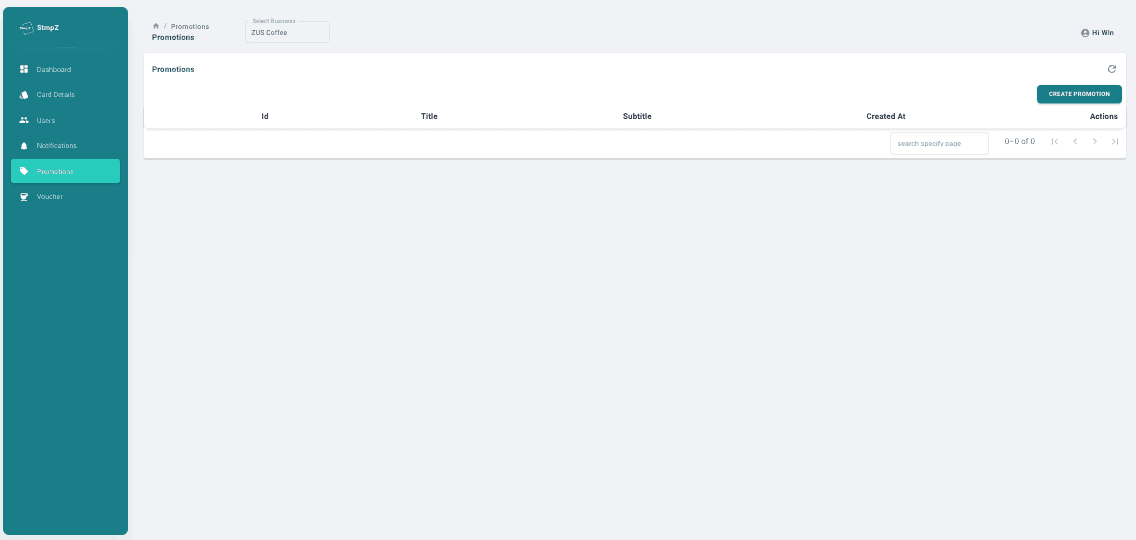
You can create a promotion by clicking the create promotion button in the top right.
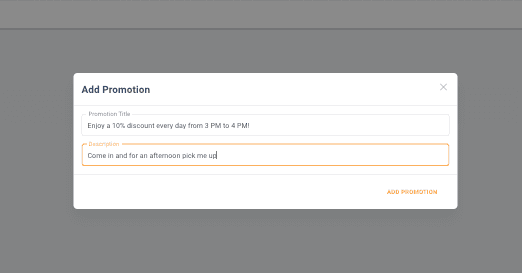
You can add a promotion title and description, detailing what you are showing off. Once you have added this, you can see the promo appear in the explore section of the app.
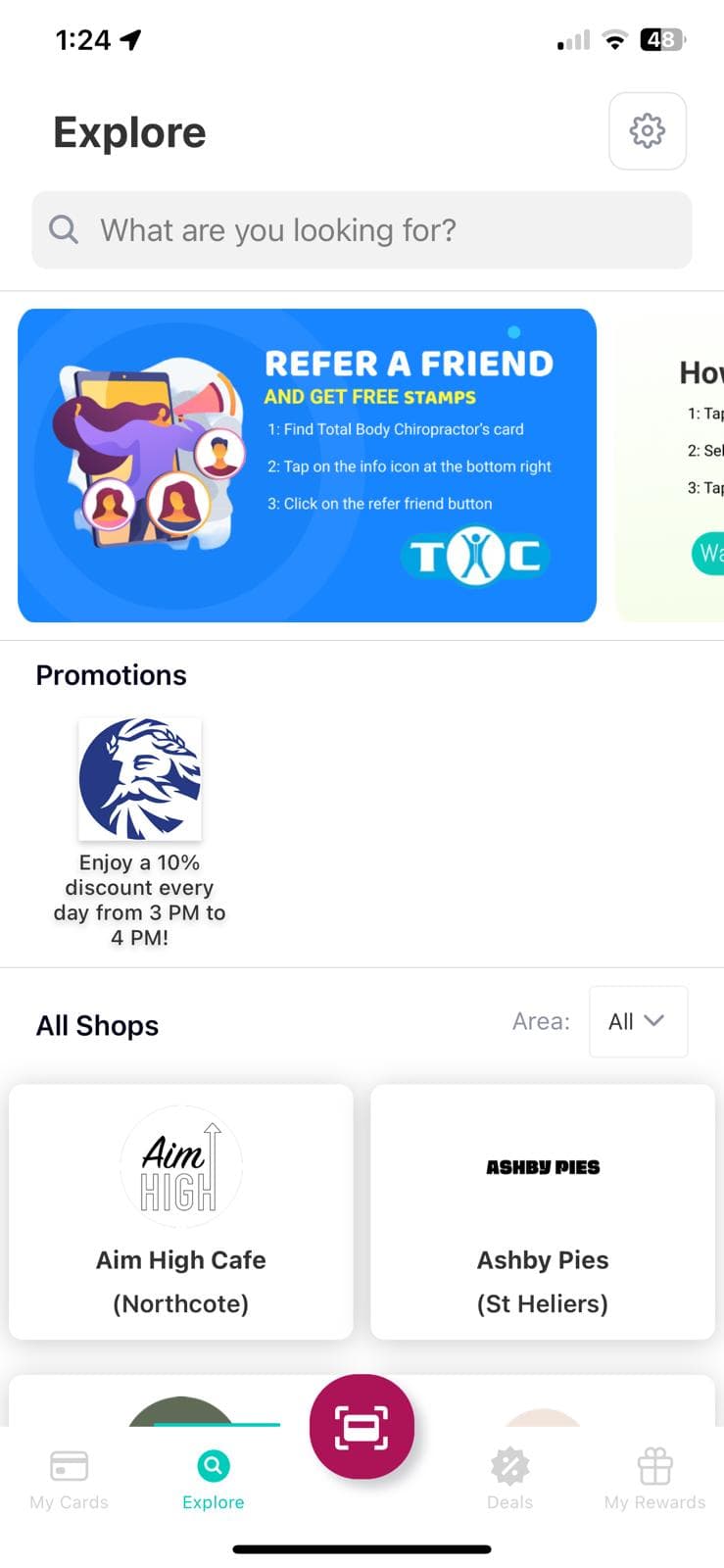
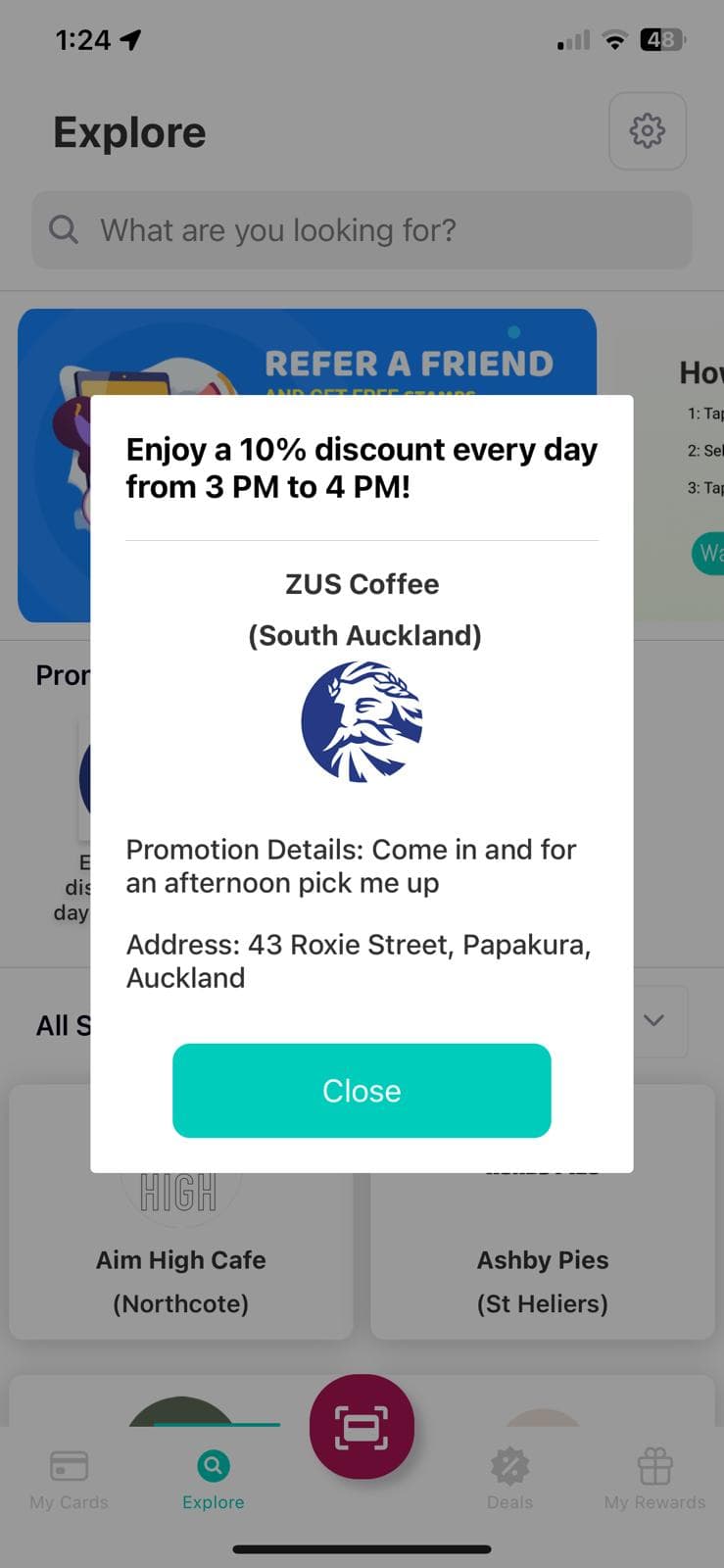
To view more details about your promotion, you can click on the promotion to open up a full screen view.
If you have had enough of your promotion, you can delete it by clicking the delete button on the right hand side.
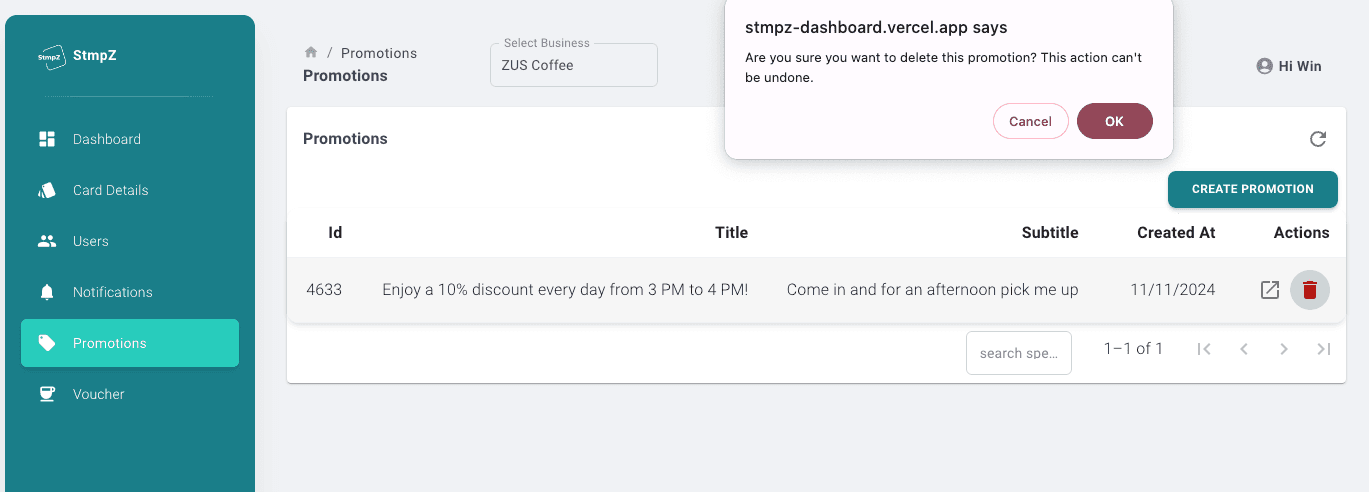
And that's it! You have now created, viewed and deleted your first promotion!